

If you’ve ever worked with an E-Ink display—whether for an e-reader, EPD, or custom IoT project—you’ve likely encountered a small but critical component: the TCON Board.
While the main processor often takes the spotlight, the TCON (Timing Controller) board is the unsung hero that makes the low-power, paper-like display experience possible. This guide explains what a TCON controller board is, why it’s indispensable for E-Ink displays, and how to select the right one for your application.
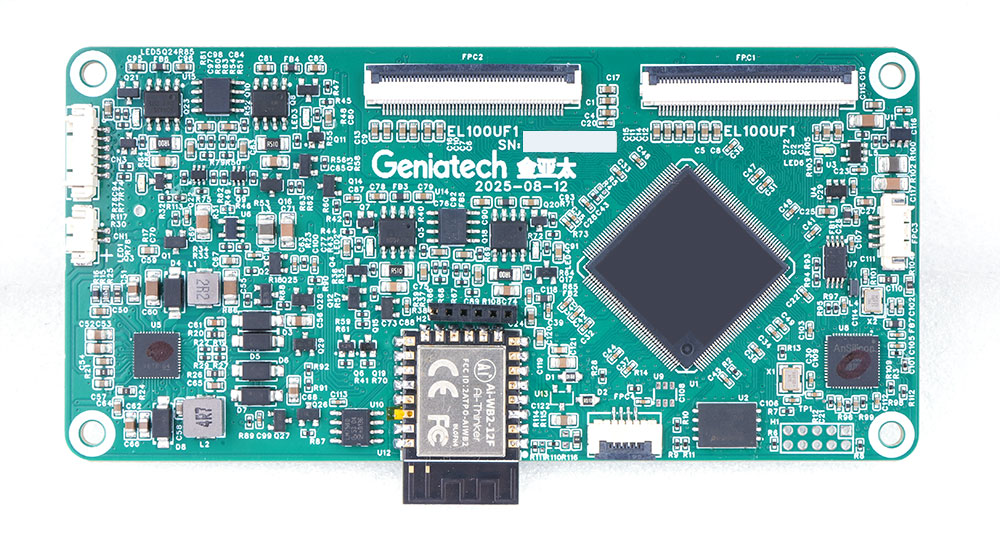
What is a TCON Board?
TCON stands for Timing Controller Board, a dedicated hardware component that acts as a translator and orchestrator for display systems. Positioned between the main processor and the E-Ink panel, it performs several essential tasks:
- Timing Signal Control – Converts image data from the main processor (e.g., LVDS, MIPI, DSI) into the precise driving sequence required by the E-Ink screen.
-
Resolution & Refresh Management – Manages different refresh modes (partial/full refresh, grayscale control, temperature compensation).
-
Waveform Control – Generates the correct waveform signals to drive the microcapsules inside E Ink panels, ensuring high-quality grayscale and image stability.
- Power & Interface Management – Integrates SPI, I²C, UART, and power circuits to communicate and control display operations.
- Multi-Screen Synchronization – Enables coordinated refresh or independent display across multiple panels, especially in large signage systems.
In short, if the main processor is the brain, the TCON driving board is the nervous system—precisely timing how each pixel behaves to create a stable and accurate image.
Typical Features of an E-Ink TCON Board
| Feature | Description |
|---|---|
| Input Interface | LVDS / eDP / MIPI / SPI |
| Output Interface | ePaper display interface (parallel or serial) |
| Control IC | Uses official E Ink or partner chips (e.g., EPM240, IT8951, EBC series) |
| Supported Sizes | From 6″ and 10.3″ to 32″, 42″, and even 75″ |
| Functions | Partial refresh, grayscale waveform, temperature compensation, EPD LUT |
| Power Management | Integrated high-voltage generation (VCOM, VEE, VDD, VNEG, etc.) |
Why is the TCON Board Especially Critical for E-Ink?
While TCON boards are common in LCDs, they are absolutely essential for E-Ink due to its unique driving mechanism:
- High Voltage Requirements – E-Ink capsules require higher voltages than typical microcontrollers can provide.
- Complex Waveforms – Each pixel refresh involves a unique voltage sequence (waveform) to control ink particle movement precisely.
- Strict Timing Control – Incorrect timing can cause ghosting, flickering, or even permanent image retention.
Thus, using a TCON board matched to your E-Ink panel model is crucial for both display quality and long-term reliability.
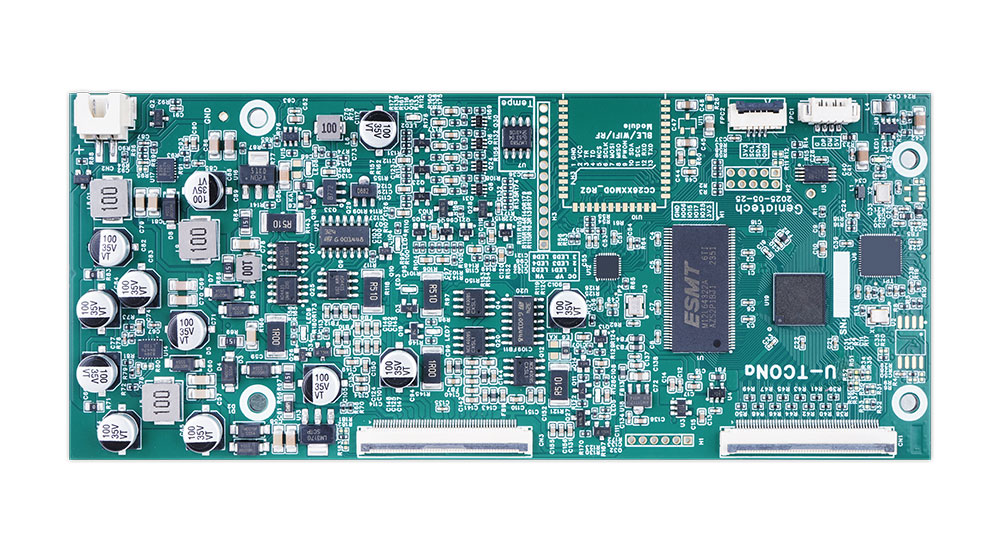
How to Choose the Right TCON Board for Your E-Ink Display
1. Match Core Specifications
Resolution & Refresh Rate
Ensure the TCON supports your panel’s native resolution (e.g., 1024×758, 2260×1440, or 3000×2000). High-end models like the E Ink Gallery 3 4K require a 4K-capable TCON such as the Himax T2000.
E-Ink displays operate at low refresh rates (≤10Hz), so timing compatibility for partial and full refresh modes is more critical than frame rate.
Interface Protocols
-
Input (to Mainboard):
- MIPI-DSI for compact, low-power devices (e-readers, tablets).
- SPI for small ESL or handheld devices.
- LVDS/MiniLVDS for larger, high-resolution signage.
- USB-C (DP Alt) for PC-connected E Ink monitors.
-
Output (to Panel):
Match the panel’s COF/COG connector (e.g., 20/30-pin FPC) and signal type (TTL, mLVDS).
Power and Consumption
Choose a board that supports the required voltage outputs (e.g., VGH=20V, VGL=-15V) and includes low-power sleep modes (≤2mW), ideal for battery-powered applications.
2. Choose by Application Type
Consumer Devices (e-Readers, Office Tablets)
- Compact, integrated TCON design
- MIPI-DSI input + COF output
- Temperature compensation for -10°C to 50°C
- Example: 6–10.3″ Carta display Timing Controller with partial refresh
Industrial Devices (ESL, Logistics Tags)
- Independent SPI-based design
- Wide voltage range (3.3V–12V)
- ESD protection and low refresh rate (≤1Hz)
- Example: Solomon Systech SSD2119-based TCON
Large Displays (Signage, E Boards, Outdoor Panels)
- LVDS input for long-distance transmission
- Gamma correction and anti-flicker circuits
- Supports up to 4K E Ink Gallery 3 panels
Flexible or Wearable Devices
- FPC-based flexible Display Controller boards
- Integrated COG interface and ultra-low-power mode
3. Additional Functional & Compatibility Checks
- E Ink Algorithm Support: Choose TCONs with native support for Kaleido™ 3 or Gallery™ 3 rendering.
- Firmware Upgradability: I²C/SPI interface for future waveform or algorithm updates.
- Status Feedback: Interrupt pins for refresh-complete and fault alerts.
- Environmental Validation: Test across -20°C to 60°C and voltage fluctuation ranges (±10%).
4. Supplier & Cost Considerations
- Top-tier compatibility: E Ink–partnered TCONs (Himax, Novatek, Renesas).
- Industrial-grade: Solomon Systech, Renesas.
- Cost-effective domestic options: Tianli Semiconductor, CVTE, etc.
- For high-volume orders: Opt for semi-custom or co-developed solutions to reduce per-unit cost.

Introducing Geniatech E Ink Spectra 6 (E6) TCON & Driver Solution
Geniatech’s E ink TCON and driver solution redefines E-Ink visual performance through advanced waveform processing and optimized refresh effects. Instead of traditional screen flashing, it delivers smooth, dynamic transitions that enhance user comfort and engagement.
Key Advantages
-
Hardware-Accelerated Waveform Processing
FPGA-based image processing efficiently handles complex color e-paper waveforms, ensuring crisp, artifact-free output. -
Low Power Design
Optimized circuitry minimizes refresh energy. For instance, a 10.1-inch Spectra 6 screen consumes as little as 200mW, dramatically extending battery life. -
Multi-Screen Sync & Independent Display
Supports synchronized or independent content across up to four 13.3″ or two 10.1″ displays—ideal for modular signage systems. -
Optimized Software Architecture
Enables parallel data processing with the host CPU, reducing latency, system power, and BOM cost. -
Enhanced Transition Effects
Uses a template-based algorithm to generate visually appealing refresh animations, reducing user wait time and flicker. - Multiple Control Interfaces
Works seamlessly with MCUs and SoCs, supporting both processor-assisted and standalone refresh modes. - Flexible System Integration:
- With MCU: The EPD controller board connects via SPI+I2C. The panel connects via TTL or MiniLVDS, making it suitable for low-power, cost-sensitive applications.
- With Linux SoC: Connects via USB, offering stable performance for complex image processing and multi-tasking scenarios.
- With Android SoC: Connects via USB, leveraging powerful Android SoC performance to support more transition effects, ideal for high-end applications.
Conclusion
The TCON board is far more than a simple adapter—it’s a precision controller built to handle the unique physics of E-Ink technology. Understanding its function and selecting the right model ensures your display performs at its best—whether you’re developing a compact e-reader or a large-scale digital signage system.
For advanced applications, Geniatech’s E ink Spectra 6 TCON and driver solution delivers hardware-accelerated performance, low power consumption, and a visually refined refresh experience—unlocking the full potential of modern E-Ink displays.